

The encrypted endpoint is separate from the standard inference API. Use
https://encrypt.blackbox.ai instead of https://api.blackbox.ai.Getting Your API Key
Create an API key from your BLACKBOX AI dashboard. The same key used for the standard API works here.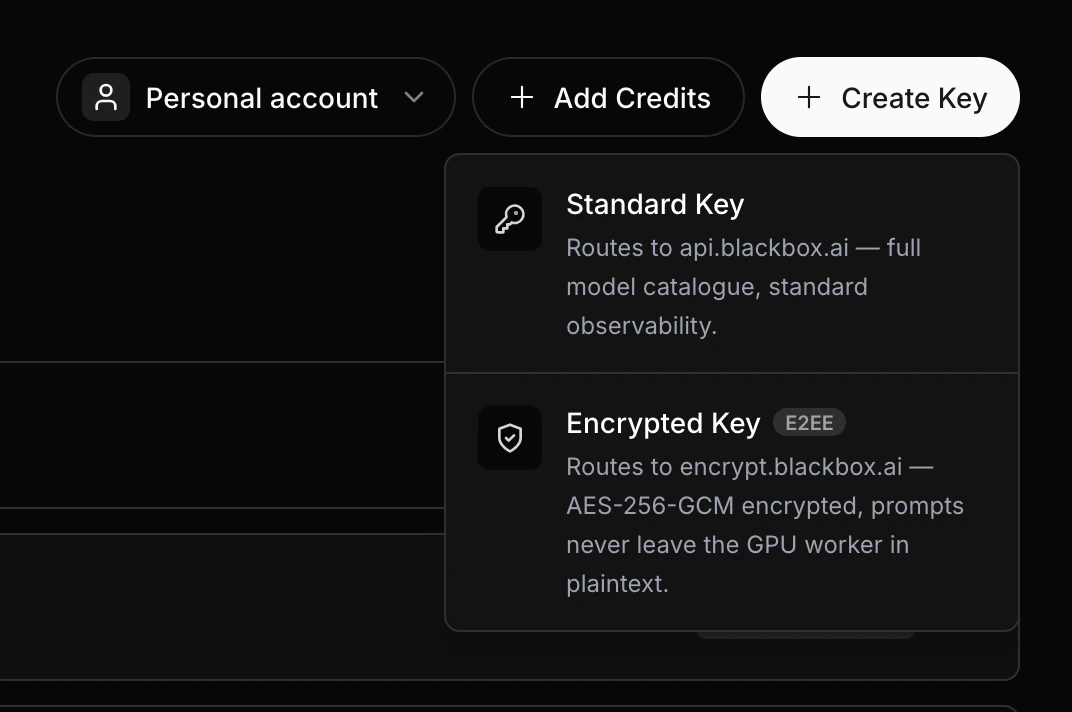
Keep your API key secret. Never commit it to version control or share it publicly. Store it as an environment variable:
export BLACKBOX_API_KEY=sk-xxxxxxxxxxxxxxxxxxxxxxxxEndpoints
Step 1 — Check the Service
Before making any requests, confirm the service is healthy.Step 2 — Fetch the Server’s Public Key
Retrieve the server’s public key and GPU attestation report. You will use thepublic_key field to derive a shared encryption key in the next step.
string
PEM-encoded P-384 public key of the GPU enclave. Use this to derive the shared AES-256 encryption key via ECDH.
string
Opaque session identifier bound to this attestation. You must include it in the body of every subsequent
/message and /message_stream call. If the session expires the server returns 409 Conflict — fetch a new attestation to get a new session_id and reset the nonce.string
Base64-encoded nonce included in the attestation report. Used to verify the report is fresh.
string
ECDSA signature over the attestation report, signed by the enclave’s private key.
string
Raw GPU attestation report in JSON format. Can be independently verified against the GPU manufacturer’s certificate chain.
object
Parsed attestation report object returned directly by the GPU.
string
GPU Entity Attestation Token — a signed token from the GPU hardware confirming the enclave’s identity.
Step 3 — Encrypt Your Message
This step runs entirely on your machine. The encryption uses:- ECDH (P-384) to derive a shared secret with the server
- HKDF-SHA256 to derive a 256-bit AES key from the shared secret
- AES-256-GCM to encrypt your conversation history
- ECDSA-SHA256 to sign the encrypted payload
Step 4 — Send Your Message
Send the encrypted request body to/message. Your API key goes in the Authorization header.
Request Body
string
required
PEM-encoded ephemeral P-384 public key generated on your machine. The server uses this to derive the same shared AES-256 key via ECDH.
string
required
The
session_id returned by /attestation. Required on every /message and /message_stream call. If the session has expired the server returns 409 Conflict — re-fetch /attestation, reset the nonce to 1000, and retry.object
required
The encrypted message payload.
Response Body
The response is also encrypted and signed by the server.integer
Server response nonce. Always equals your request nonce + 2000.
string
Base64-encoded 12-byte IV used to encrypt the server’s reply.
string
Base64-encoded AES-256-GCM encrypted reply from the model.
string
Base64-encoded ECDSA-SHA256 signature over
nonce || iv || ciphertext, signed by the server’s private key. Verify this before decrypting to confirm the reply came from the genuine GPU enclave.Step 5 — Decrypt the Response
Verify the server’s signature, then decrypt the response using the same AES key derived in Step 3.Always verify the server’s signature before decrypting. This confirms the reply came from the genuine GPU enclave and not from a proxy or attacker.
Step 6 — Streaming (Optional)
Use/message_stream to receive the response token-by-token as it is generated. The request body is identical to /message — only the endpoint and Accept header change.
{"eos": true}:
Encryption Summary
Common Errors
401 Unauthorized
Your API key is missing or incorrect. Ensure $BLACKBOX_API_KEY is set and you are passing -H "Authorization: Bearer $BLACKBOX_API_KEY".
400 Bad Request
The request body is malformed — check that peer_public_key, session_id, payload.nonce, payload.iv, payload.ciphertext, and payload.signature are all present and correctly base64-encoded.
409 Conflict — session expired or disrupted
The session_id you sent is no longer valid (the server may have rotated keys, restarted, or the session timed out). Fetch a fresh /attestation, derive a new AES key, reset the nonce to 1000, and retry the request with the new session_id.
ModuleNotFoundError: No module named 'cryptography'
/message_stream to start seeing output sooner.
Related Resources
Authentication
Learn how to create and manage your API keys
Zero Data Retention
Understand how BLACKBOX AI handles data privacy and ZDR policies
Chat Completions
Standard (unencrypted) chat completions API reference
API Parameters
Full list of model parameters you can include in your conversation history